
Outlined steps for adding conditional properties to deal stages within a pipeline. This feature ensures that specific properties are required or displayed based on the stage a deal is in, streamlining data collection and workflow processes.
Context
Adding conditional stage properties allows teams to collect relevant data at specific deal stages, ensuring that important information is captured before advancing a deal. This feature helps maintain data quality and supports better decision-making.
Terminologies
- Pipeline: A structured series of stages through which deals progress in HubSpot.
- Stage Properties: Properties required or displayed at a specific stage in a pipeline.
- Dependent Property: A property that is shown only when certain conditions are met.
Tools
Add any relevant tools associated with this process.
- Hubspot - Used for creating and managing properties.
Roles & responsibilities
Define who will be executing the activities related to the SOP.
- Team Member: Responsible for configuring conditional properties in deal stages.
- Approver: Reviews and approves the conditional properties for alignment with business processes.
Procedure
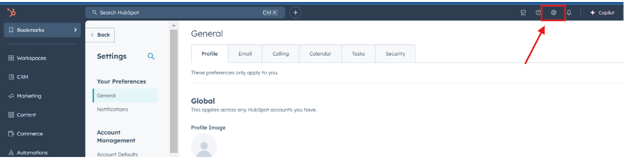
Step 1:
Navigate to Settings in HubSpot.
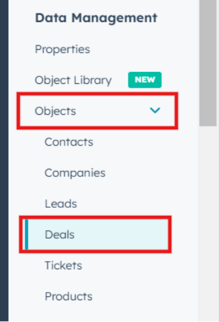
Step 2:
Select Objects and then choose Deals.
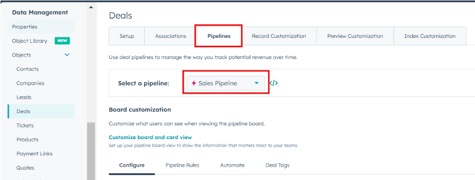
Step 3:
Click on Pipelines and select the pipeline you want to modify.
Step 4:
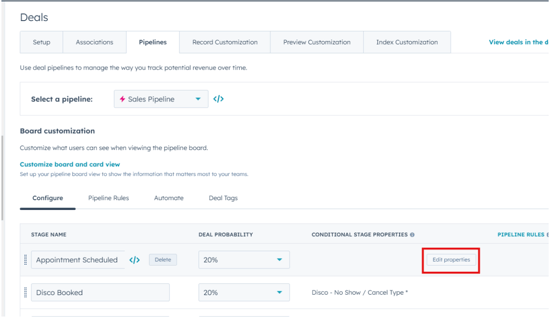
Click Edit on the specific stage of the pipeline where you want to add conditional properties.
Step 5:
Select Edit Property to open the stage property settings.
Step 6:
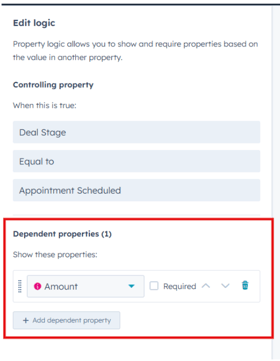
Click Add Dependent Property and choose the property that should be required or displayed at this stage.
Step 7:
Specify whether the property should be Required or Optional.
Step 8:
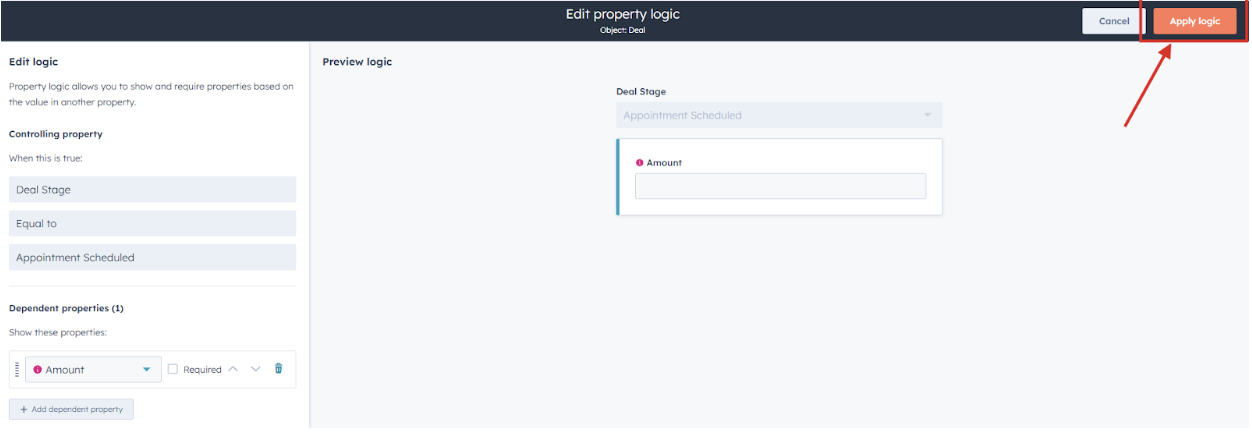
Click Apply Logic to set any specific conditions that determine when the property will appear.
Step 9:
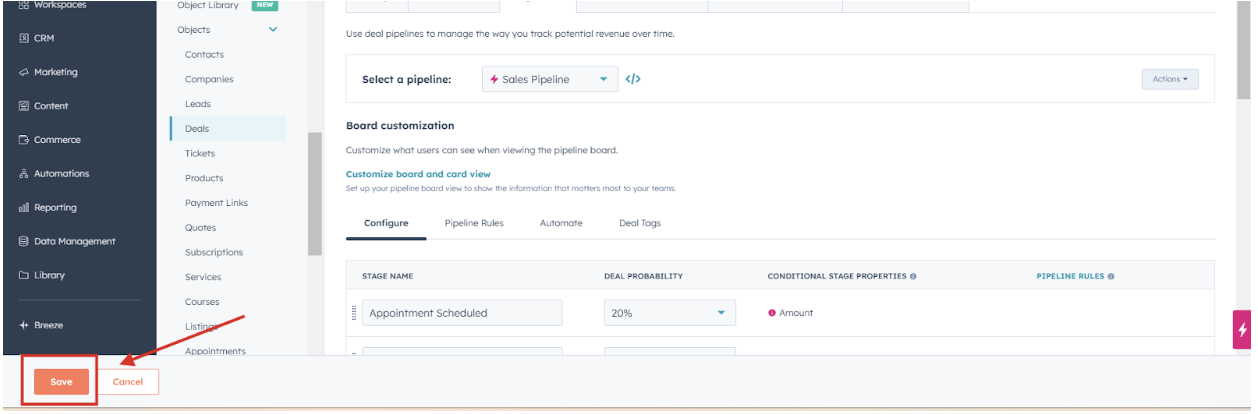
Click Save Pipeline to apply and save the changes.
Notes
- Conditional properties help enforce data collection requirements, ensuring that team members provide necessary information before progressing a deal.
- Regularly review pipeline settings to adjust properties as business processes evolve.