
The purpose of this SOP is to outline the process for creating deal tags in the CRM. Deal tags help categorize and prioritize deals within pipelines, making it easier for teams to manage and track them effectively.
Context
Deal tags allow sales teams to quickly identify and filter deals based on specific characteristics or criteria. This streamlines deal management and enhances pipeline visibility.
Terminologies
- Deal Tag: A label or identifier applied to deals to categorize them within a pipeline.
- Pipeline: A visual representation of the stages that a deal goes through from start to close.
Tools
Add any relevant tools associated with this process.
- Hubspot - Used for managing deal tags and pipeline configurations.
Roles & responsibilities
Define who will be executing the activities related to the SOP. \
- Team Member: Responsible for creating and updating deal tags.
- Approver: Reviews and approves deal tags to ensure alignment with sales strategy.
Procedure
Follow these steps to create deal tags:
Step 1:
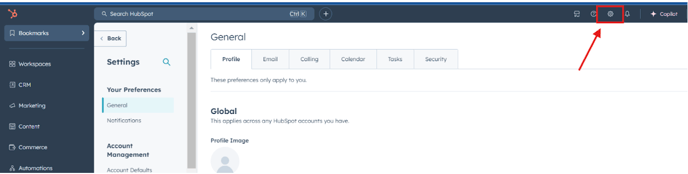
Navigate to Settings in your HubSpot.
Step 2:
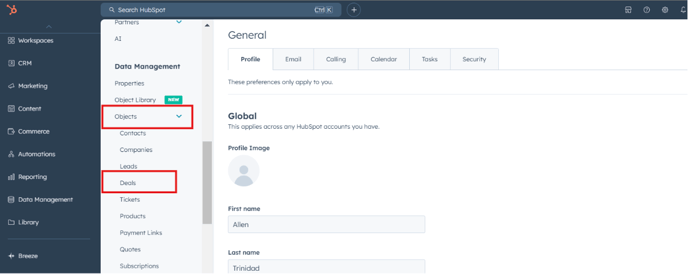
Select Objects and then click on Deals.
Step 3:
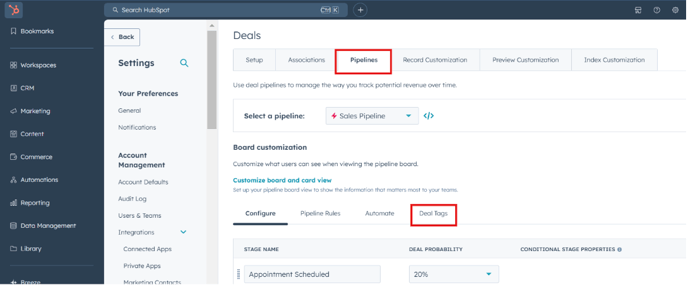
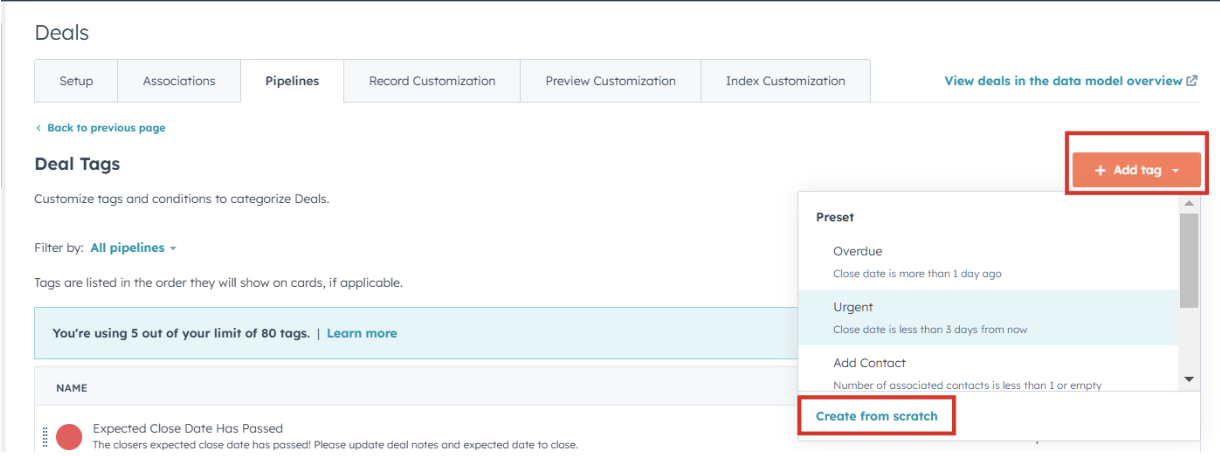
Go to Pipelines and select Deal Tags.
Step 4:
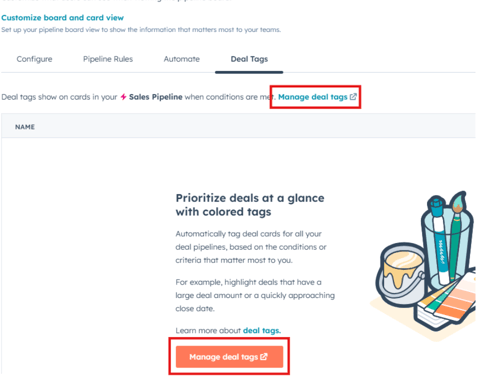
Click on Manage deal tags and select Add tags.
Step 5:
Choose Create from Scratch to start creating a new deal tag.
Adding Deal Tag Details
Step 6:
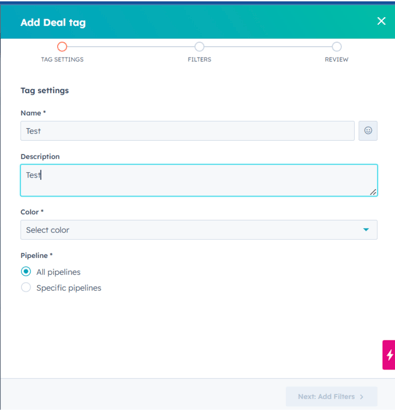
Enter the following details:
- Name: Give the deal tag a clear and descriptive name.
- Description: Provide a brief description explaining the purpose of the tag.
- Color: Assign a color to the tag to make it visually distinguishable.
Step 7:
Select the pipeline(s) where this tag will be applied. Ensure the tag aligns with the deals managed within these pipelines.
Step 8:
Add any specific filters or conditions the tag should be associated with to refine its application (optional).
Step 9:
Review the details of the tag for accuracy.
Step 10:
Click Create to finalize and save the new deal tag.
Notes
- Ensure that deal tags are periodically reviewed for relevance and updated as needed to reflect changing business priorities.
- Collaborate with the sales team for input on additional tags that might enhance pipeline management.