
Outlined process for tracking meetings based on meeting types in the CRM. This enables teams to categorize and analyze different meeting interactions, improving insights for better decision-making.
Context
By tracking meetings according to their types, you can better understand lead behavior and improve follow-up strategies. This guide will help ensure your CRM accurately tracks and categorizes meetings for efficient data management.
Terminologies
- Meeting Types: Categories assigned to meetings to help identify their purpose (e.g., "Discovery Call," "Strategy Session").
- CRM Event Types: The setup within the CRM that allows you to manage and track different types of meetings.
Tools
Add any relevant tools associated with this process.
- Hubspot - Used for setting up and tracking meeting types.
Roles & responsibilities
Define who will be executing the activities related to the SOP. \
- Team Member: Responsible for setting up and updating meeting type tracking.
- Approver: Reviews and approves the meeting type setup.
Procedure
Follow these steps to track meetings based on meeting types:
Step 1:
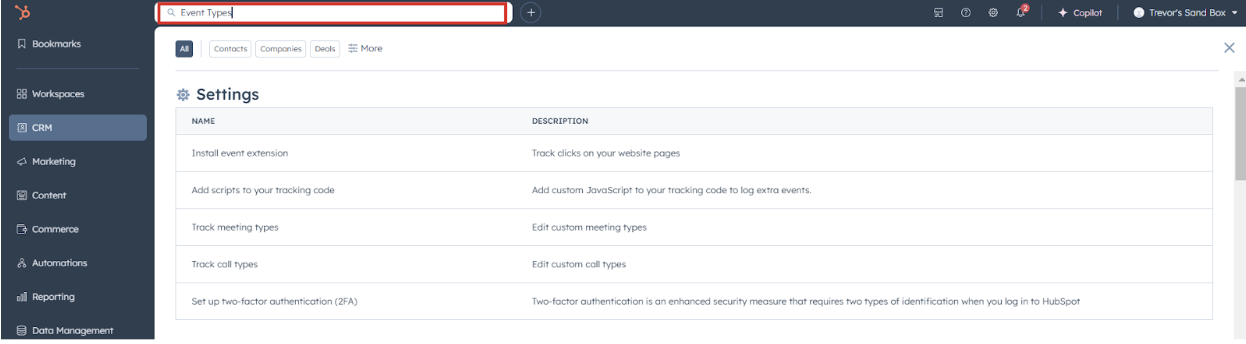
Navigate to the Search Bar and search for Event Types.
Step 2:
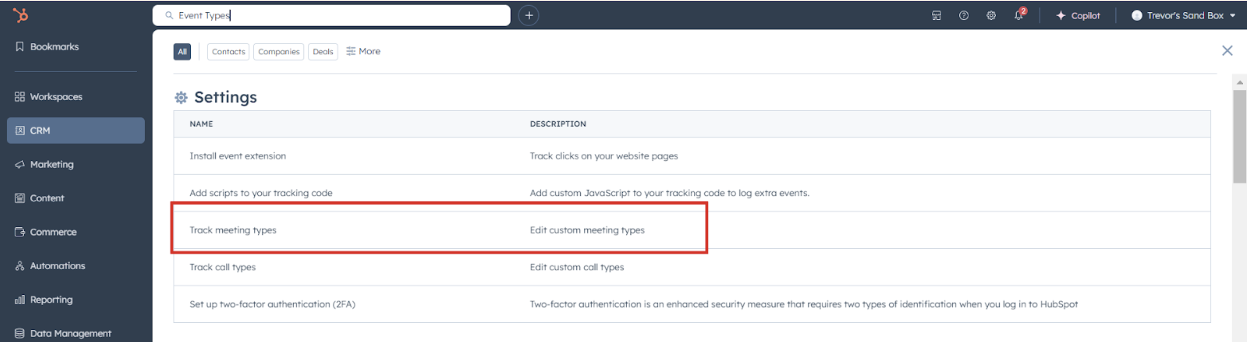
Click on Track meeting types.
Step 3:
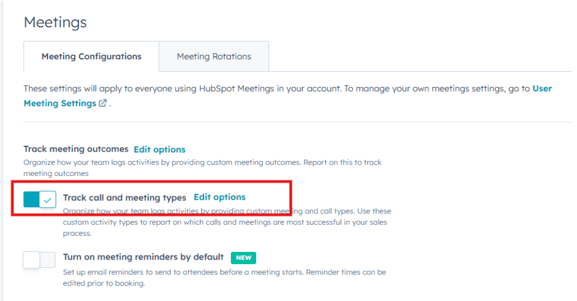
Toggle on Track meeting call and meeting types to enable the feature.
Step 4:
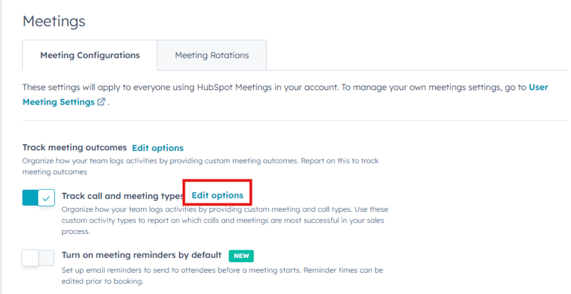
Click Edit Option to customize the meeting types.
Step 5:
Add the meeting types you want to track (e.g., "Discovery Call," "Strategy Session") and save your changes.
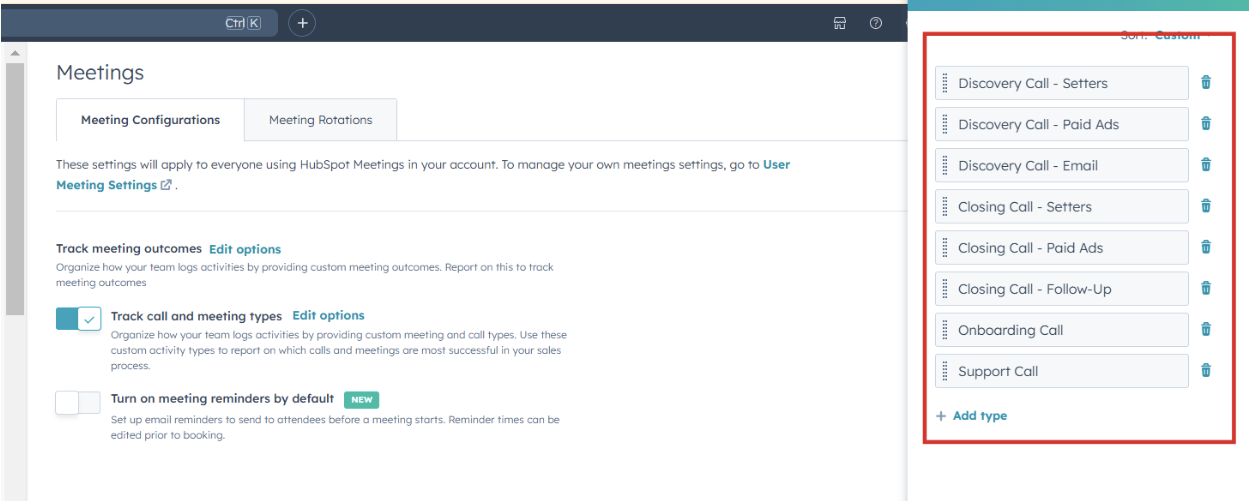
Assigning Meeting Types to Meeting Links
Step 1:
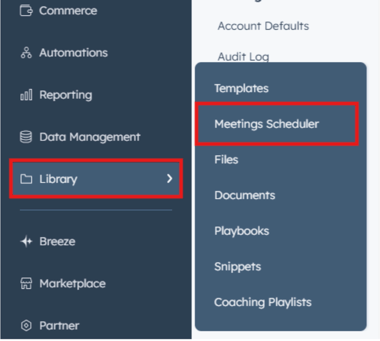
Navigate to Library > Meeting Scheduler.
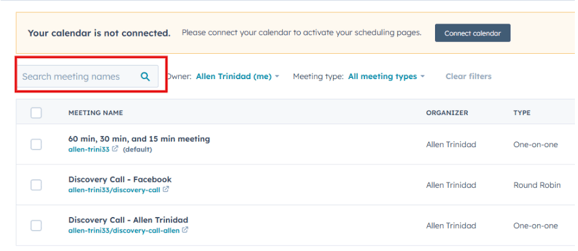
Step 2:
Search for the meeting links you want to track.
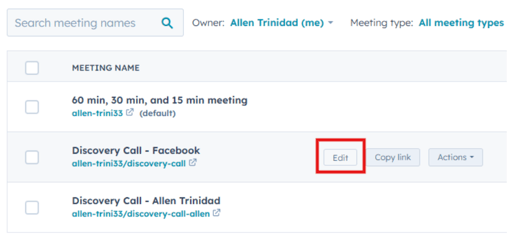
Step 3:
Click Edit on the relevant meeting link.
Step 4:
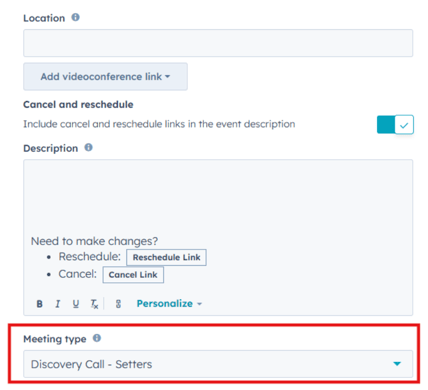
Add the appropriate meeting type to the meeting link and save.
Notes
- Regularly review meeting types and update them as necessary to match current business needs.
- Ensure all relevant meeting links are correctly assigned to their respective meeting types for consistent tracking.